
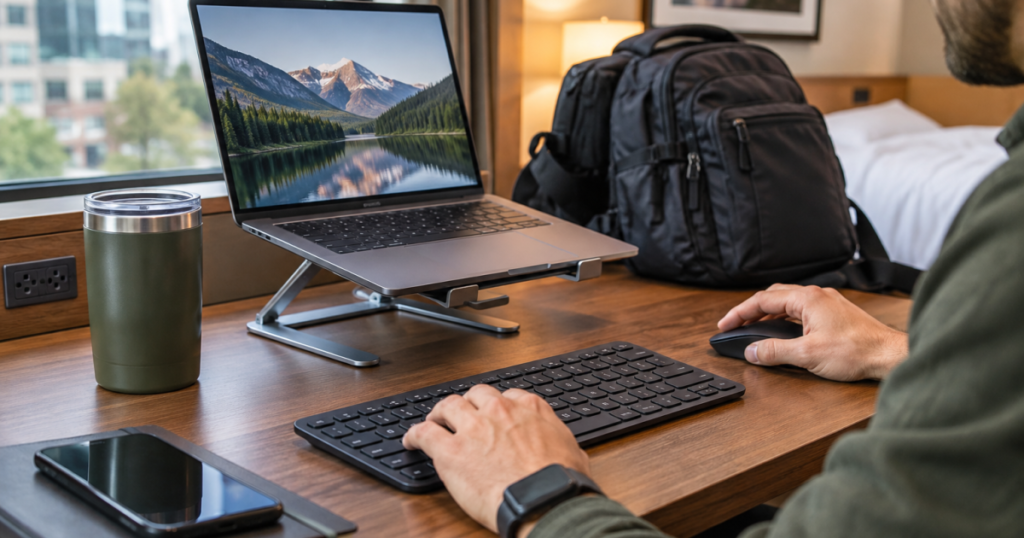
A raised laptop is only half an ergonomic setup. The right portable keyboard and mouse gives your hands a lower, more relaxed place to work while the screen sits closer to eye level. That is the difference between a temporary desk that feels intentional and one that slowly turns into a shoulder shrug with a spreadsheet attached.
Persistent wrist, shoulder, neck pain or numbness is a health issue, not a gear-selection problem; diagnosis and treatment should be handled by a qualified healthcare professional under applicable clinical standards.
The big picture
For most remote workers, the best travel input setup is a compact Bluetooth keyboard, a mouse that works on varied surfaces, and a laptop stand that raises the screen without stealing the entire desk. The goal is not to recreate a home office. It is to create enough separation between screen and hands that you can work a real session from a hotel room, café table, coworking hot desk, or short-term rental without fighting the furniture.
The most balanced setup is usually a slim keyboard with familiar spacing and a compact mouse with dependable tracking. Ultra-tiny keyboards save bag space but can make typing feel cramped. Full-size keyboards are comfortable but awkward in a personal item. Trackpads pack cleanly, but many people still work faster with a mouse when editing documents, arranging windows, or moving through browser-heavy workflows.
If you are still dialing in the screen side of the setup, start with the desk and stand first. A raised display changes where your hands need to land, and this walkthrough on setting up a laptop stand on a tiny hotel desk pairs naturally with the keyboard and mouse choices below.
Step 1: Decide how much typing you really do
Your keyboard choice should follow the longest work block on the trip, not the shortest email session at the gate. A writer, consultant, analyst, or developer needs a better typing platform than someone who mainly reviews slides and takes calls.
- For full workdays: choose a compact keyboard with normal key spacing, stable feet, and a layout close to what you use at your main desk.
- For short travel bursts: a flatter, lighter keyboard can be enough if you are mostly replying, searching, and managing calendars.
- For shared-device use: look for easy switching between a laptop, tablet, and phone if your workflow regularly moves across screens.
- For cramped desks: skip number pads unless your work absolutely depends on them. They push the mouse farther out and can strain your shoulder during long sessions.
A 75% or compact layout is the practical sweet spot for most travel work. It keeps arrow keys and everyday controls within reach while staying narrow enough for small desks. Foldable keyboards look clever in a bag, but hinge gaps and compressed layouts can become annoying when the workday gets serious.
Step 2: Pick the mouse by desk surface, not just size
A travel mouse has to deal with glossy hotel desks, café tables, coworking laminate, and the occasional mystery surface that appears designed to defeat productivity. Small size helps, but surface tolerance and hand comfort are more important once you are working for more than a few minutes.
- Compact traditional mouse: the safest pick for precision and comfort if you can spare the packing space.
- Flat travel mouse: easier to slide into a pouch, but often less supportive for longer editing or spreadsheet work.
- Trackpad: clean and slim for gesture-heavy users, though less ideal for detailed cursor work if you prefer a mouse.
- Vertical mouse: potentially comfortable for some wrists, but bulkier and less convenient for one-bag travel.
Bluetooth reliability also depends on your laptop, operating system, battery level, and radio congestion in the room. If your work cannot tolerate cursor dropouts during presentations or client calls, test the exact keyboard and mouse with your travel laptop before the trip. Pairing at home is not glamorous, but neither is troubleshooting Bluetooth five minutes before a call.
Three setups worth building around
Best balanced setup for serious travel work
A compact premium keyboard plus a small productivity mouse is the strongest setup for people who type heavily and need precise cursor control. The Logitech MX Keys Mini is a good reference point for this category because it keeps a laptop-friendly footprint while feeling closer to a desk keyboard than many ultra-thin travel boards. Pairing it with the Logitech MX Anywhere 3S gives you a mouse style built around portable productivity rather than the smallest possible shell.
This setup is best for consultants, writers, analysts, and remote workers who spend hours in documents, dashboards, browsers, or project tools. The trade-off is space: it is still compact, but it asks for a real pouch pocket and a desk depth that can handle a stand, keyboard, and mouse.
Best slim setup for lighter bags
If you want a lower-bulk kit, the Logitech Pebble Keys 2 K380s and Logitech Pebble Mouse 2 M350s are useful examples of the thin, simple, multi-device travel category. They are better suited to email, browser work, note-taking, and mixed laptop-tablet use than to high-volume typing marathons.
This is the cleaner choice for a personal-item-only trip or a schedule where the keyboard comes out for two focused blocks rather than an entire day. The compromise is feel: flatter gear can save space while offering less hand support than a more substantial keyboard and mouse.
Best minimalist setup for café and lounge work
For quick sessions, a compact keyboard plus your laptop trackpad can be enough. This works when desk space is tight, outlets are awkward, or you are working from a round café table where a separate mouse would feel like one object too many. It is not the most comfortable full-day setup, but it keeps the kit clean and fast.
The key is honesty. If you regularly edit slide decks, manage large spreadsheets, or move windows across a second display, you will probably miss a mouse. If your travel work is mostly writing, messaging, and browser review, the lighter setup may be the more realistic one to pack consistently.
Step 3: Make the keyboard work with your laptop stand
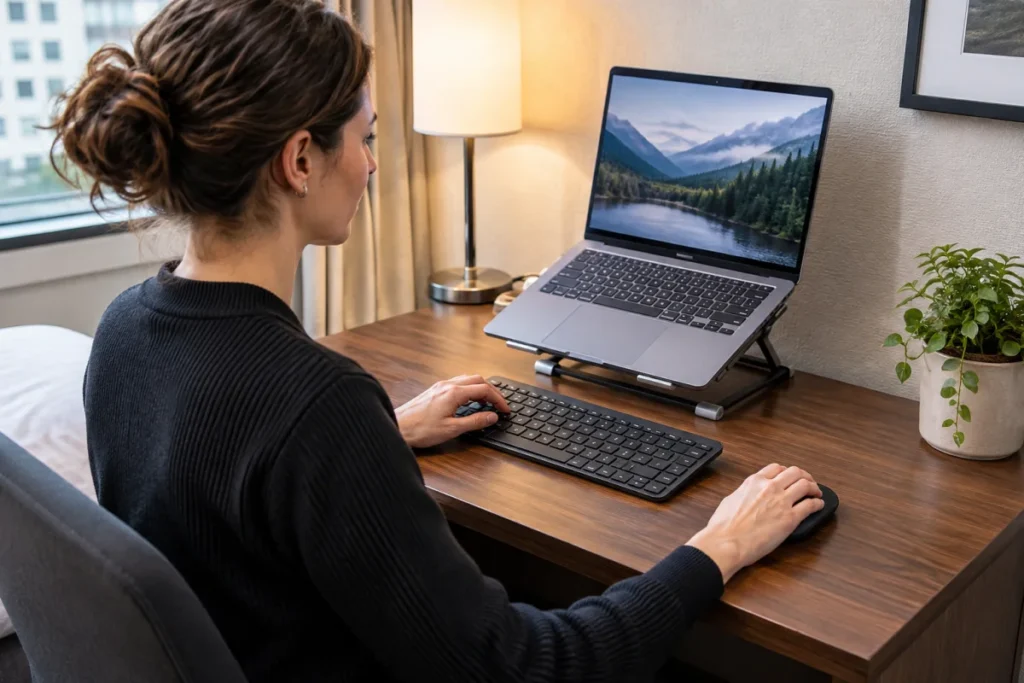
A separate keyboard earns its place only if the laptop is raised. Otherwise, you have simply added another item to the desk while keeping the same hunched screen angle. Start by placing the stand and laptop first, then set the keyboard directly in front of your torso. The mouse should sit close enough that your elbow stays near your side instead of drifting outward.
On narrow hotel desks, push the laptop stand toward the back edge, keep the keyboard centered, and use the mouse on the side with the clearest surface. If the desk is shallow, angle the keyboard slightly rather than letting your wrists bend sharply. If the chair is too low, a compact setup cannot fully fix the problem, but it can reduce the reach and neck drop.
If your mobile setup also includes a portable display, remember that every extra screen changes the desk map. Before buying more hardware, compare the actual footprint and cable burden using this guide to choosing a second screen for travel workdays.
Step 4: Check the travel friction before you buy
A good input kit should be easy to pack, fast to deploy, and hard to forget. Use these checks before committing to a keyboard and mouse combination:
- Pouch fit: can both items ride in the same tech pouch without pressing hard against a screen, battery, or charger?
- Desk footprint: can you use them with a laptop stand on a desk under 24 inches deep?
- Wrist position: do your wrists stay mostly straight, or do the keyboard edges force a bend?
- Mouse reach: can the mouse stay close to the keyboard, or does a wide keyboard push it too far away?
- Power plan: know whether the devices charge by cable or use replaceable batteries, and pack accordingly.
- Pairing behavior: test switching, waking, and reconnecting before relying on the setup away from home.
Do not judge the kit only by how it looks packed flat. A setup that saves half an inch in the bag but slows every work session is not efficient; it is just tidy in transit.
Common mistakes on temporary desks
- Buying the smallest keyboard available: tiny keys can make a full work block feel fussy and slow.
- Using a full-size keyboard with a number pad: great at a permanent desk, awkward when the mouse gets pushed into the lamp, notebook, or coffee zone.
- Ignoring the chair height: if your elbows are floating high, lower the keyboard position or change seats when possible.
- Forgetting the mouse surface: a thin mouse pad or desk mat can help when the desk finish makes tracking inconsistent.
- Raising the laptop on an unstable base: if the screen wobbles every time you type, fix the stand before blaming the keyboard.
Stand stability is a separate piece of the comfort puzzle. If your setup feels shaky in hotels or rentals, use these practical checks for stabilizing a portable laptop stand on hotel desks before adding more gear.
Practical takeaway
The best travel keyboard and mouse setup is the one that lets you raise the laptop, keep your hands low, and work without rearranging the entire room. For most people, that means a compact keyboard with familiar spacing, a small mouse that tracks well on varied surfaces, and a quick pre-trip pairing test.
Choose the more substantial setup if your travel days include long writing, analysis, editing, or client-facing work. Choose the slim setup if you mostly need short focused sessions and want the cleanest possible bag. Either way, the ergonomic win comes from the system: screen up, keyboard centered, mouse close, cables controlled, and no heroic wrist angles required.