
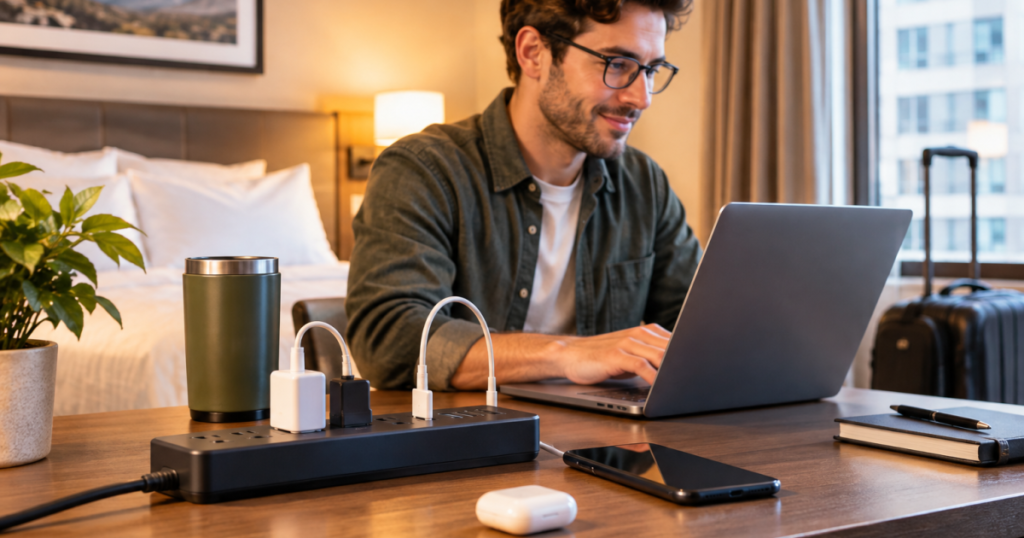
A hotel desk rarely fails dramatically; it fails one outlet at a time. The right travel power strip for hotel laptop setup work is compact, grounded, long enough to reach the desk, and honest about USB-C wattage. The goal is not to pack a mini server rack. It is to turn one awkward wall outlet into a calm, repeatable work zone for your laptop, phone, headset, monitor, and charger.
A power strip is outlet expansion first. If it also has strong USB-C Power Delivery, great. If it does not, your laptop charger still needs a real AC socket and enough breathing room. That distinction keeps the purchase simple.
In brief
For hotel laptop work, pack a compact power strip with a flat or low-profile plug, a 3- to 6-foot cord, at least two AC outlets, sensible outlet spacing, and USB-C PD only if its output actually matches your laptop’s needs. Choose surge protection for ordinary hotel use when allowed, but choose a no-surge strip for cruise cabins because many cruise lines restrict or prohibit surge-protected power strips.
- Light laptop setup: a strip with one laptop AC outlet and a couple of USB ports may be enough.
- USB-C laptop setup: check the USB-C PD output before assuming the strip can power the laptop directly.
- Monitor or multi-device setup: prioritize outlet spacing and cord length over the smallest possible shell.
- Cruise setup: look for a no-surge option and check the cruise line’s current rules before packing.
- International setup: a power strip does not convert voltage; verify the input ratings on every charger you plug into it.
Step 1: Decide whether the strip must charge the laptop
The first decision is not brand or size. It is whether the power strip’s USB-C port needs to run your laptop, or whether the strip only needs to give your existing laptop charger a better place to plug in.
Small laptops and tablets may work from lower-watt USB-C chargers. Many mainstream USB-C laptops are happier around 60W to 70W. Larger performance laptops, creator machines, and some work-issued systems may need much more through their original charger or a higher-output USB-C charger. The exact requirement depends on the laptop and its power profile, so check the charger label or manufacturer documentation before buying around a guessed number.
If your laptop needs more power than the strip’s USB-C port can provide, do not treat the port as a failure. Use an AC outlet on the strip for your laptop charger and reserve the strip’s USB ports for your phone, earbuds, mouse, or other lower-draw accessories. If you are trying to reduce the number of charging bricks, compare a dedicated compact USB-C charger such as the models discussed in the Anker Prime Charger review instead of expecting every power strip to replace it.
Step 2: Choose the shape that works in bad hotel rooms
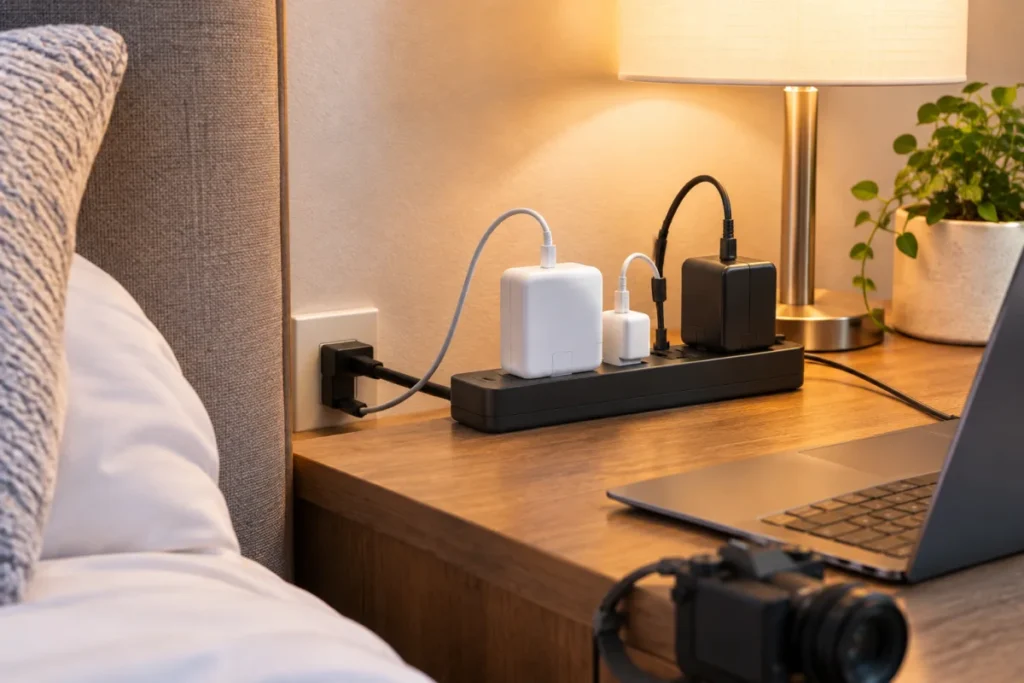
Hotel outlets are often in the wrong place: behind the mattress, under the desk, between lamps, or low on a wall where a bulky plug fights the furniture. The best travel strips solve that physical problem before they solve the charging problem.
- Plug shape: a flat or low-profile wall plug is easier behind furniture than a large straight plug.
- Cord length: 3 feet can work on a nightstand; 5 or 6 feet is more forgiving when the only outlet is across the desk or behind the bed.
- Outlet spacing: wide spacing matters if you carry bulky laptop bricks, monitor adapters, camera chargers, or grounded plugs.
- Grounded outlets: a three-prong grounded strip is the safer default for laptop work when your gear uses grounded plugs.
- Desk footprint: a long bar can be easier to cable-manage than a tiny cube if you use a laptop stand, portable monitor, and headset.
On a tight surface, the power strip should sit where cables can fall away from the keyboard and mouse. If the desk is barely deeper than the laptop, solve posture and cable routing together. The setup ideas in setting up a laptop stand on a tiny hotel desk are a useful companion when you are deciding whether your strip belongs on the desk, floor, or nightstand.
Step 3: Pick the right protection style
Surge protection sounds like an automatic win, but travel makes the choice more conditional. In a standard hotel room, a surge-protected strip can make sense for laptop and monitor gear when the hotel allows it and the product is rated for the environment where you are using it. On many cruise ships, surge-protected strips are restricted because of shipboard electrical systems. For that use case, shop specifically for a no-surge cruise-compliant power strip and verify the current cruise line policy before travel.
International travel adds another constraint: voltage. A power strip may say it supports a voltage range, but it still does not convert voltage for devices plugged into its AC outlets. Your laptop charger, phone charger, monitor power supply, and other adapters need their own input ratings, commonly printed on the brick. If the device is not rated for the local voltage, a plug adapter and power strip will not make it safe to use.
Three strong options to compare
These are useful buying reference points because they solve different hotel-desk problems. Product specifications and availability can change, so verify the current output ratings, cord length, plug style, and safety listings before buying.
Anker 615 USB Power Strip GaNPrime 65W
This is the kind of compact all-in-one strip to consider if you want AC outlets plus built-in USB charging in one travel piece. Its appeal is simplicity: one item can sit on the desk and handle a laptop charger plus smaller devices, and its USB-C output may be enough for some USB-C laptops depending on their requirements. It is not the right shortcut for every laptop, so match the USB-C PD rating against your machine before relying on it as the main laptop charger.
Anker 525 Charging Station
This style makes more sense when desk organization matters more than absolute pocketability. A low desktop charging station can be easier to manage than a dangling cube if you use a laptop, phone, earbuds, external drive, and portable monitor from the same temporary station. It is a good comparison point for longer stays or conference trips where you unpack a real work surface every day.
Belkin 3-Outlet Mini Travel Surge Protector
This is the simpler domestic-hotel option to compare when you mainly need more AC outlets and basic USB charging for smaller accessories. Its surge-protected design is useful in the right setting, but that same feature makes it a poor fit for cruise cabins that restrict surge protectors. Treat it as a room-to-room work travel piece, not a universal travel answer.
Step 4: Avoid the mistakes that make power messy
- Assuming all USB-C ports are laptop ports: USB-C describes the connector, not the wattage. Check the Power Delivery rating.
- Buying the smallest cube possible: tiny strips can tip, block adjacent plugs, or pull off the desk when cables are stiff.
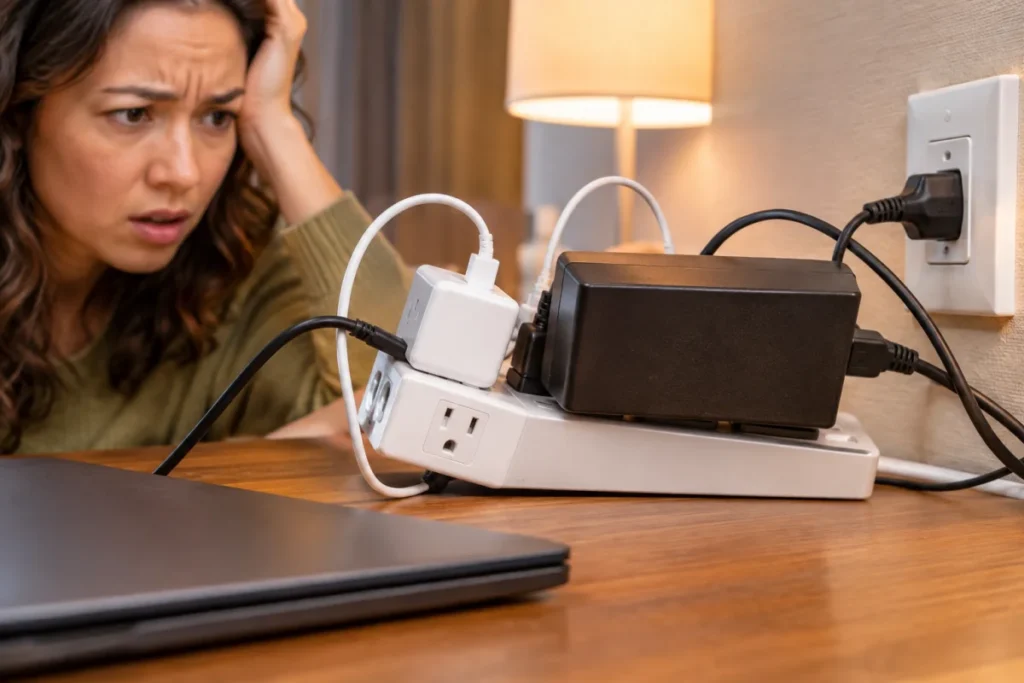
- Ignoring the laptop brick: a giant AC adapter can cover two outlets unless the strip has enough spacing.
- Packing a surge strip for a cruise: cruise-safe usually means no surge protection, but each line can set its own current policy.
- Daisy-chaining strips: do not plug one power strip into another. Use one properly rated strip and reduce the device count if needed.
- Forgetting the backup plan: if the outlet is dead or badly placed, your phone and power bank may carry you through a call while you relocate.
If your backup plan includes a battery pack, keep air-travel rules separate from power-strip shopping. Power banks are spare lithium batteries, so carry-on rules matter; the current packing logic is covered in flying with a power bank in your laptop bag.
Step 5: Build a cleaner hotel power kit
A reliable power kit is usually smaller than a pile of emergency adapters. For most laptop travelers, start with one compact strip, one known-good laptop charger, one USB-C cable rated for the power you expect it to carry, and only the regional plug adapters required for the trip. Add a short extension only if the strip’s built-in cord is not long enough; do not create a chain of mystery cables.
Before a work trip, plug in the full kit at home for 10 minutes. Confirm the laptop charges, the phone charges, the monitor powers on if you use one, and the plugs physically fit at the same time. This quick rehearsal catches the annoying failures: the USB-C cable that only handles data, the power brick that blocks another outlet, the strip that slides off a smooth desk, or the cord that is just a foot too short.
Things readers ask
Should a remote worker pack a power strip or just a bigger USB-C charger?
Pack a power strip when the main problem is outlet location or outlet count. Pack a bigger USB-C charger when the main problem is replacing several charging bricks. Many strong setups use both: a compact strip for placement and a high-output charger for USB-C devices.
Is surge protection necessary for hotel laptop work?
It can be useful in ordinary hotel rooms when permitted, but it is not always the right travel choice. Cruise cabins are the major exception because many lines restrict surge-protected strips. For cruises, shop for no-surge models and check the operator’s current policy.
How many outlets are enough?
For a lean laptop setup, two AC outlets plus USB charging is often enough: one for the laptop charger and one spare for a monitor, lamp, or accessory. If you carry a portable monitor with its own power adapter or multiple grounded bricks, prioritize three AC outlets and wider spacing.
Main lessons
The best hotel power setup is not the strip with the most holes in it. It is the one that reaches the desk, fits your actual plugs, gives your laptop the power path it needs, and avoids the wrong protection style for the trip. Buy for the room you are likely to get, not the perfect desk you hope to find.