

A capable travel setup is not a shrunken home office. It is a small system built to survive awkward desks, missing outlets, glare, tired arrivals, and calls that start before the room is ready. The mobile-office mindset is simple: design for uncertainty first, then add comfort and polish only where they earn their space.
The short version
Recreating a home desk on the road usually fails because travel removes control. You do not control desk depth, chair height, outlet placement, Wi-Fi quality, lighting, noise, or how much time you have before the next call. A better system starts with the jobs your setup must perform, then builds lightweight layers around likely failure points.
- Pack by function, not by fantasy. Every item should support power, input, display, calls, connectivity, posture, storage, or protection.
- Assume the room will be slightly wrong. The outlet may be across the room, the chair may be low, and the desk may be just deep enough for a laptop.
- Reduce single points of failure. One bad cable, missing adapter, or fragile stand should not end the workday.
- Favor fast deployment. A system that takes two minutes to set up will be used more consistently than one that takes fifteen.
- Upgrade only after friction repeats. One annoying day is a story. Three similar annoyances are a packing signal.
Start with work functions, not desk nostalgia
The home-office instinct says to ask, “What do I normally use?” The travel-work question is sharper: “What must not fail while I am away?” That shift prevents a bag full of comfort duplicates and forces better tradeoffs.
Most mobile work systems need seven core functions. The exact gear changes by profession, but the functions stay remarkably stable.
The seven functions to cover
- Compute: the laptop or tablet that runs the work.
- Power: wall charging, cable discipline, and a realistic backup plan.
- Input: keyboard, mouse, trackpad, stylus, or whatever lets you work without fighting the machine.
- Display: the laptop screen alone, a tablet as a second screen, or a portable monitor when the work justifies the bulk.
- Calls: headphones, microphone quality, lighting awareness, and a background plan.
- Connection: primary Wi-Fi plus a fallback such as phone tethering or a travel router workflow when appropriate.
- Posture and setup: laptop height, seat improvisation, cable routing, and enough desk space to stay functional.
This framework also makes packing less emotional. A beautiful accessory that does not protect one of those functions is probably decoration. A plain adapter that saves a client presentation may deserve a permanent slot.
Build the kit in layers
A strong travel setup is layered, not maximal. Each layer should answer a different level of work risk: the emergency setup, the full workday setup, and the extended-stay setup.
Layer 1: the minimum viable workstation
This is the version that works from an airport table, a train seat, a lobby corner, or a hotel desk with one outlet. It should fit in the daily-access part of your bag and deploy without unpacking clothes.
- Laptop or tablet.
- Primary charger and one dependable cable.
- Headphones or earbuds suitable for calls.
- Small notebook, pen, or whatever captures quick context when screens are inconvenient.
- Phone tethering plan or another known fallback for connection problems.
The goal is not comfort. The goal is continuity. You should be able to answer email, join a call, review a document, and save work without opening the whole bag.
Layer 2: the full workday setup
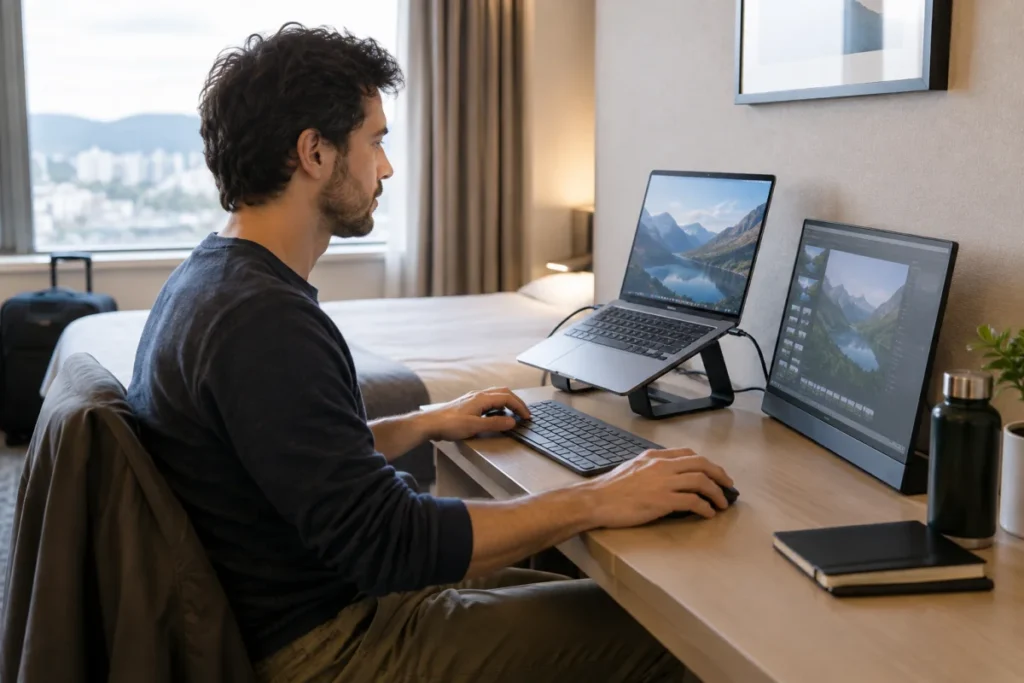
This is where comfort starts to matter. A compact stand such as the Roost Laptop Stand, a portable keyboard, and a mouse can turn a poor desk into a tolerable work surface. The benefit is not magic productivity; it is reducing neck, shoulder, and wrist compromises during longer sessions.
For display-heavy work, a portable monitor can be worth the space. A monitor such as the LG gram +view 16MQ70 is the kind of item to evaluate by total burden, not just screen appeal: protection, cable needs, stand stability, glare, and whether your actual work improves enough to justify carrying it.
Layer 3: the extended-stay setup
For longer trips, add items that improve repeatability: a dedicated tech pouch, a small light if calls are important, spare cables, a travel router if your workflow calls for it, and more deliberate cable management. A product like the GL.iNet Beryl AX can be relevant for people who already understand why they need a travel router, but it should not be treated as a universal cure for bad networks.
Plan compatibility before the trip
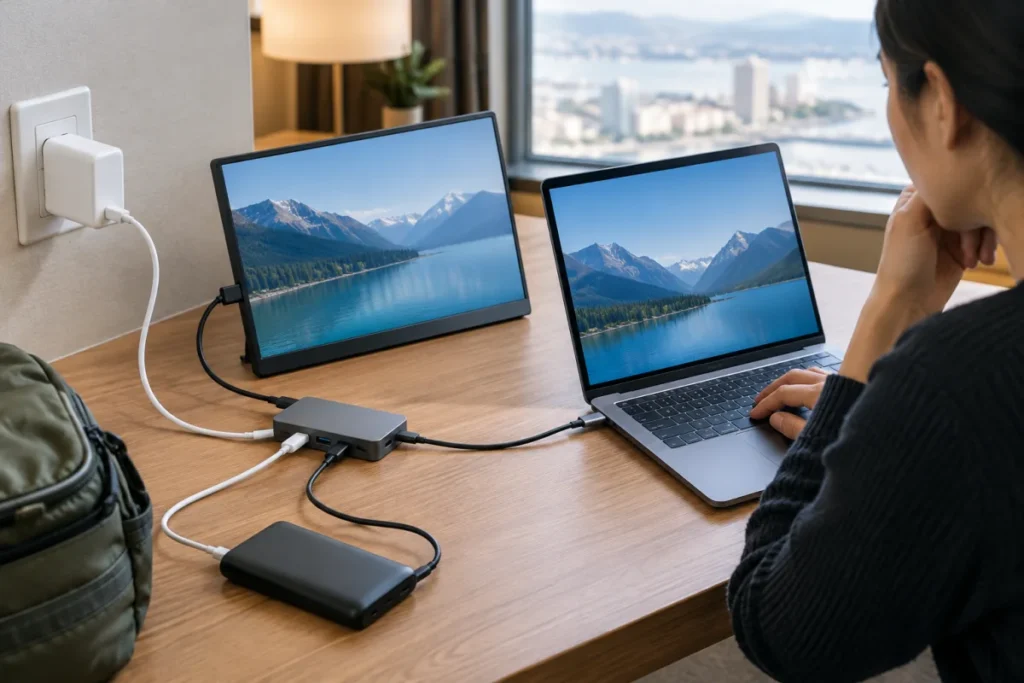
Most travel-work failures are not dramatic. They are boring: the charger is too weak for the laptop, the USB-C cable only handles charging, the portable monitor needs a display signal the laptop is not sending, or a hub blocks pass-through charging in the one desk layout available.
Before packing a new combination, check the chain from wall outlet to device. The Travel Work Gear Compatibility Checker is useful here because mobile setups fail at the connections between products, not just inside the products themselves.
- Power direction: know which device supplies power and which receives it.
- Charging standard: confirm whether the charger, cable, and device support the same power method.
- Display path: a USB-C monitor may depend on DisplayPort Alt Mode, Thunderbolt, or another supported video route.
- Cable capability: a cable that looks right may not carry the data, display, or power level you need.
- Pass-through behavior: hubs and monitors can change how charging reaches the laptop.
Power banks deserve special attention because airline rules matter. Lithium-ion batteries used for carry-on travel are commonly discussed around the 100 Wh carry-on limit, and the exact product label is more important than its marketing name. Treat battery compliance as a pre-trip check, not an airport surprise.
Pack around deployment, not inventory
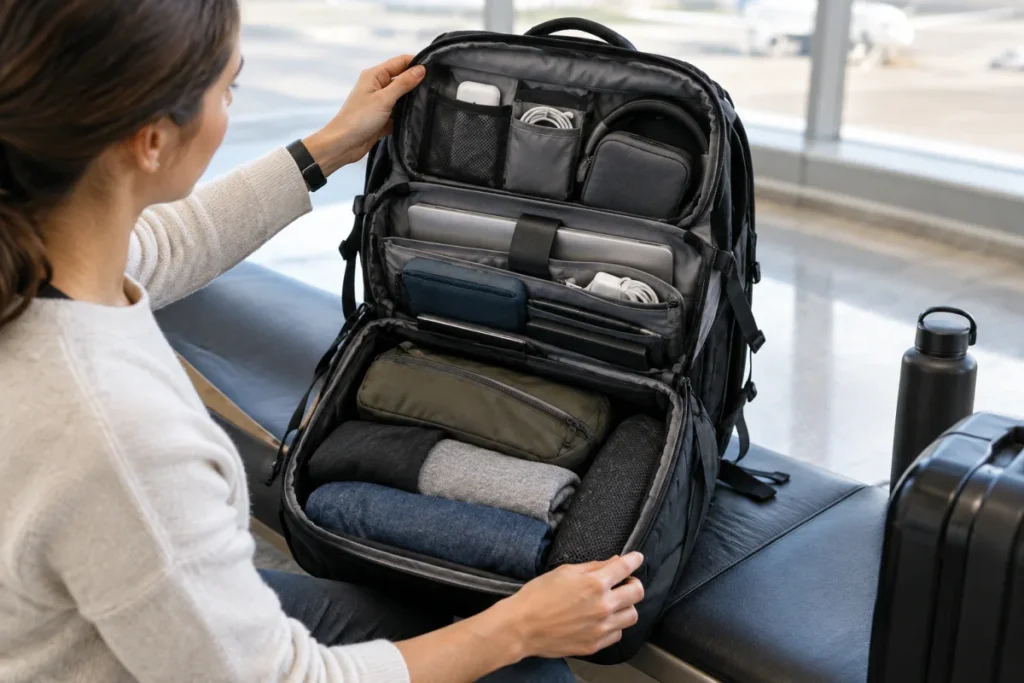
A mobile office should open in the order you need it. That sounds obvious until a charger is buried under packing cubes and the cable pouch is in the overhead bin during a delay.
Think in zones. Daily-access gear goes where you can reach it while standing, seated, or moving through a checkpoint. Workday setup gear can sit deeper in the bag. Clothing and low-urgency items should not block the tools that keep a workday alive. For a useful example of compartment logic, the one-bag backpack layout review shows how access, expansion, and laptop protection affect real travel-work packing.
- Top-access zone: earbuds, charger, cable, passport or ID, glasses, and small essentials.
- Work zone: laptop, keyboard, mouse, stand, hub, and meeting gear.
- Protection zone: portable monitor sleeve, hard-sided cable case, or anything fragile.
- Deep storage: clothing, backup items, and gear used only after arrival.
The best layout is the one you can repack half-asleep without creating a scavenger hunt. Travel already supplies enough puzzles.
Match the setup to the kind of workday
Not every trip deserves the same kit. A one-night client visit, a week of hotel work, and a month in a rental create different constraints.
- Transit-heavy day: prioritize battery awareness, headphones, quick-access cables, and tasks that work on one screen.
- Hotel desk day: add a stand, keyboard, mouse, and lighting awareness. Test outlets before unpacking fully.
- Coworking day: focus on call etiquette, headphones, cable security, and a fast pack-up routine.
- Presentation day: carry the adapters and cables that protect the meeting, even if they feel redundant.
- Extended stay: bring the comfort layer only after confirming that it will be used often enough to earn the space.
This is where restraint becomes useful. A charger such as the Anker 747 Charger GaNPrime 150W may make sense for a multi-device setup, but charger choice should come from your device power budget, port needs, and cable plan rather than wattage bragging rights.
Common mistakes that make travel work feel improvised
- Packing too many backups of the wrong thing. Three USB-C cables do not help if none of them supports the display or charging task you need.
- Buying for the ideal room. Large stands, wide monitor bases, and sprawling cable setups can fail on narrow desks.
- Ignoring calls until the first bad one. Headphones, lighting direction, background, and connection fallback deserve a rehearsal before important meetings.
- Letting accessories multiply. If a pouch gains items every trip but never loses any, it becomes a junk drawer with a zipper.
- Confusing lightweight with low-friction. The lightest setup can still be stressful if it has no redundancy for power, connection, or input.
Questions people ask
Should a travel work setup replace a home office?
No. It should protect the core tasks that matter while you are away. A home office can optimize comfort and permanence. A travel setup should optimize resilience, packability, and setup speed.
Is a portable monitor essential?
Only for work that truly benefits from the second screen. Developers, analysts, editors, and presentation-heavy workers may find one worth the burden. Writers, email-heavy operators, and short-trip travelers may be better served by a stand, keyboard, and cleaner cable setup.
How do you know when to add gear?
Keep a short friction log after each trip. Note what slowed you down, what you never used, and what nearly failed. Add gear only when the same problem repeats or when the consequence of failure is high enough to justify the space.
Main lessons
The strongest travel work systems are not miniature home offices. They are compact, rehearsed, and honest about uncertainty. Start with the work that must continue, identify the weak links, and build layers that match the trip. When your bag opens in the right order, your cables are known quantities, and your fallback plan is boringly clear, working away from a permanent desk starts to feel calm instead of improvised.