

A travel day is not a normal desk day with a boarding pass attached. The goal of a remote work travel day is to protect the work that truly needs attention, then downgrade or move everything vulnerable to delays, weak Wi-Fi, noise, fatigue, and bad seating.
Think of the day as a controlled handoff between locations, not a test of how much you can squeeze into airport corners. The plan should make your calls safer, your offline work obvious, and your recovery time intentional enough that tomorrow does not inherit today’s chaos.
In brief
Plan the day by risk, not ambition. Put live calls and deadline-sensitive work in the most stable parts of the schedule, reserve transit windows for offline or low-stakes tasks, and add buffers before every meeting that would be painful to miss.
- High-risk tasks: client calls, live presentations, urgent approvals, file uploads, anything requiring stable Wi-Fi or a quiet room.
- Medium-risk tasks: writing, review work, spreadsheet cleanup, planning, async comments, slide edits that can tolerate interruptions.
- Low-risk tasks: reading, inbox triage, expense notes, file naming, outline work, saved articles, admin that does not require immediate responses.
- Meeting rule: move a meeting if you cannot create a protected 30-minute setup buffer before it and a 15-minute recovery buffer after it.
- Offline rule: before leaving, download every file, deck, document, ticket, and reference needed for the tasks assigned to transit time.
Step 1: Decide what kind of travel day you have
A one-hour train ride between familiar stations is not the same work container as an early flight, rental-car pickup, hotel checkout, and evening check-in. Start by naming the day honestly.
- Light movement day: one predictable transfer, no border-style complexity, and a familiar destination. You may be able to keep one meaningful meeting if the surrounding buffers are clean.
- Fragmented movement day: multiple legs, layovers, hotel checkout, baggage storage, or rideshare timing. Treat this as an async-first day.
- Critical arrival day: same-day client dinner, conference setup, presentation rehearsal, or first night in a new city. Protect arrival energy over inbox volume.
- Recovery-needed day: early departure, late arrival, time-zone shift, or poor sleep. Schedule lower-cognitive work unless a deadline is immovable.
This is the same reason a mobile setup works better when it is built around uncertainty instead of pretending every room will behave like a home office. If your kit and workflow are still too dependent on perfect conditions, revisit the broader logic of designing for uncertainty rather than recreating a home desk.
Step 2: Sort tasks by failure cost
Do not ask, “What can I do while traveling?” Ask, “What happens if this gets interrupted?” That one question separates useful travel productivity from fragile optimism.
Keep for stable locations
- External video calls where your camera, audio, and connection affect trust.
- Work requiring large file transfers, cloud sync, secure systems, or multiple browser sessions.
- Tasks that need two screens, reference material, or sustained concentration.
- Decisions that affect other people’s schedule, budget, or delivery path.
Use for transit windows
- Drafting in a local document.
- Reviewing downloaded PDFs, briefs, tickets, or transcripts.
- Cleaning notes from previous meetings.
- Outlining proposals, agendas, or next actions.
- Inbox triage without promising instant replies.
Save for fatigue pockets
- Renaming files and folders.
- Collecting receipts.
- Preparing tomorrow’s first-task list.
- Reading background material.
- Writing short updates that can be sent later.
The cleanest travel-day plan usually has fewer task types, not more. If you have to keep switching between a boarding app, a slide deck, a messaging thread, and a client call, the plan is already spending too much attention.
Step 3: Protect meetings with a hard movement rule
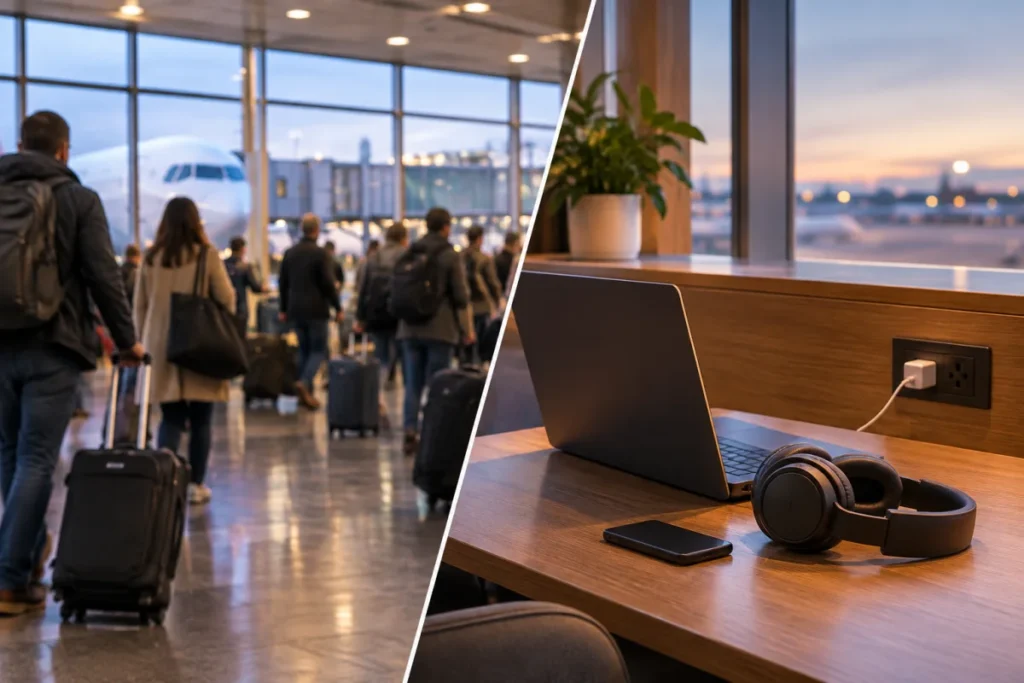
Meetings fail on travel days for practical reasons: boarding starts early, hotel rooms are not ready, trains get loud, rideshares arrive late, and airport Wi-Fi can be fine until everyone opens their laptop at once. The fix is not anxiety; it is a rule.
Keep a meeting only when you can control three things: where you will sit, how you will connect, and what you will do if the connection fails. If any one of those is uncertain, downgrade the meeting to async, move it to a stable block, or join audio-only with expectations set in advance.
- Good meeting window: after you are checked in, charged, connected, and settled at a desk or quiet lounge seat.
- Risky meeting window: within 45 minutes of boarding, arrival, hotel checkout, bag pickup, or rideshare transfer.
- Poor meeting window: during boarding, on a moving shuttle, in baggage claim, or before you have tested the connection.
For important calls, plan the backup connection before the day starts. A phone hotspot may be enough for some travelers, while a dedicated mobile hotspot can make sense when calls are frequent or the phone needs to stay free. The trade-offs are covered in more depth in the guide to whether you should choose between a dual-SIM phone and pocket Wi-Fi.
Step 4: Build the schedule around buffers, not tasks
Buffers are not wasted time on a travel workday. They are the part of the schedule that absorbs real life so your work blocks do not have to.
- Before departure: 30 minutes to confirm downloads, battery levels, calendar changes, and travel documents.
- Before a call: 30 minutes if you are changing locations, 15 minutes if you are already settled.
- After arrival: 45 to 90 minutes to reach the room, test Wi-Fi, find outlets, unpack only work essentials, and reset your attention.
- Before deep work: 10 minutes to close travel tabs, silence nonessential alerts, and put only the current task on screen.
If a meeting lands inside a buffer, the buffer is gone. If two meetings land on both sides of a transfer, the transfer becomes the weakest link in the day. Move one.
Sample calendars you can adapt
Flight day with hotel change
- 6:30 a.m.: Download files, charge devices, check calendar, send any “traveling today” expectation notes.
- 7:30 a.m. to 10:30 a.m.: Airport and flight. Use only offline tasks: reading, outlining, note cleanup.
- 10:30 a.m. to noon: Arrival, bags, ground transport. No meetings.
- Noon to 1:00 p.m.: Lunch and connection check. Send short async updates only after you are settled.
- 1:00 p.m. to 2:30 p.m.: Medium-focus work from a lounge, coworking space, or hotel lobby if conditions are reasonable.
- 2:30 p.m. to 4:00 p.m.: Check-in, desk setup, Wi-Fi test, power reset.
- 4:00 p.m. to 5:00 p.m.: Best window for one important call.
- 5:00 p.m. onward: Low-stakes wrap, tomorrow plan, recovery.
Train day between cities
- 8:00 a.m. to 9:00 a.m.: Stable-location work before leaving: approvals, uploads, messages that need a fast reply.
- 9:00 a.m. to 9:45 a.m.: Station transfer. No scheduled work.
- 9:45 a.m. to noon: Train block for writing, reading, offline review, or planning. Avoid live calls unless the train environment is known and quiet.
- Noon to 1:00 p.m.: Arrival and food buffer.
- 1:00 p.m. to 3:00 p.m.: Flexible work block for edits, async responses, or project planning.
- 3:00 p.m. to 4:00 p.m.: Setup buffer before any external meeting.
Step 5: Prepare a small offline work pack
Your offline pack is not a separate bag; it is a prepared set of work that survives airplane mode, weak hotel Wi-Fi, and cellular dead zones. Build it the night before, not while the gate agent is calling zones.
- Download the documents you plan to edit or review.
- Save web pages, briefs, travel confirmations, and reference PDFs for offline access.
- Open key files once to confirm they actually load without a connection.
- Make a short text note with the day’s three priority tasks, confirmation numbers, addresses, and backup contact details.
- Sync password manager access and any approved secure work tools before leaving a known connection.
- Pack the cable, charger, and adapter combination you need for the devices assigned to the day.
If your travel tasks depend on a second display, be realistic about when it helps. A portable monitor can be excellent at a hotel desk and irritating in a cramped gate area. For deciding when the extra screen earns its space, use the guide to choosing a second screen for travel workdays.
Step 6: Use an arrival reset before serious work

The first 20 minutes after arrival decide whether the evening feels controlled or improvised. Do not open the hardest task first. Set the room, connection, and body position enough to work without constant micro-fixes.
- Find the best desk or table before unpacking everything.
- Test Wi-Fi with the actual call or work platform you need, not just a browser page.
- Locate outlets and charge before the battery warning appears.
- Set camera angle and lighting if a call is coming.
- Put travel clutter away from the work surface.
- Choose one first task and one stopping point.
The reset does not need to be elaborate. It just prevents the classic hotel-room spiral: laptop open, cables tangled, room key missing, inbox screaming, and dinner somehow still hypothetical.
Common mistakes that drain focus
- Scheduling calls during transfers: even short moves create noise, timing uncertainty, and attention residue.
- Saving all hard work for the plane: cramped seating and interruptions can make deep work slower than expected.
- Skipping file checks: a downloaded file is only useful if it opens and has the version you need.
- Overpacking tasks: a long list creates the feeling of failure even when the day went well logistically.
- Ignoring recovery: a late work push after a hard travel day can damage the next morning’s focus.
Quick answers
Should I take client calls on travel days?
Yes, but only inside a protected stable block. For external calls, avoid boarding windows, transfers, baggage claim, hotel check-in periods, and any time you have not already tested your connection and audio.
What is the best work to do on a plane or train?
Use transit time for offline writing, reading, note cleanup, planning, and review work. Avoid tasks that need fast cloud sync, large uploads, multiple screens, or immediate team responses.
How many major tasks should I plan?
For a heavy movement day, pick one meaningful work outcome and two smaller support tasks. For a lighter train or familiar route, two meaningful outcomes may be reasonable if the schedule has real buffers.
Practical takeaway
A good remote work travel day is designed around friction. Put the fragile work where the environment is stable, give movement the space it deserves, and carry a prepared offline queue so delays do not erase the day. You are not trying to recreate a full office between gates; you are building a repeatable travel rhythm that lets the important work survive the move.